Install LIME IPTV in Minutes — Stream 35,500+ Channels Today
Get LIME IPTV running on any device in three simple steps. No satellite dish, no long-term contract, no technical expertise required. Crystal-clear 4K streams from day one.
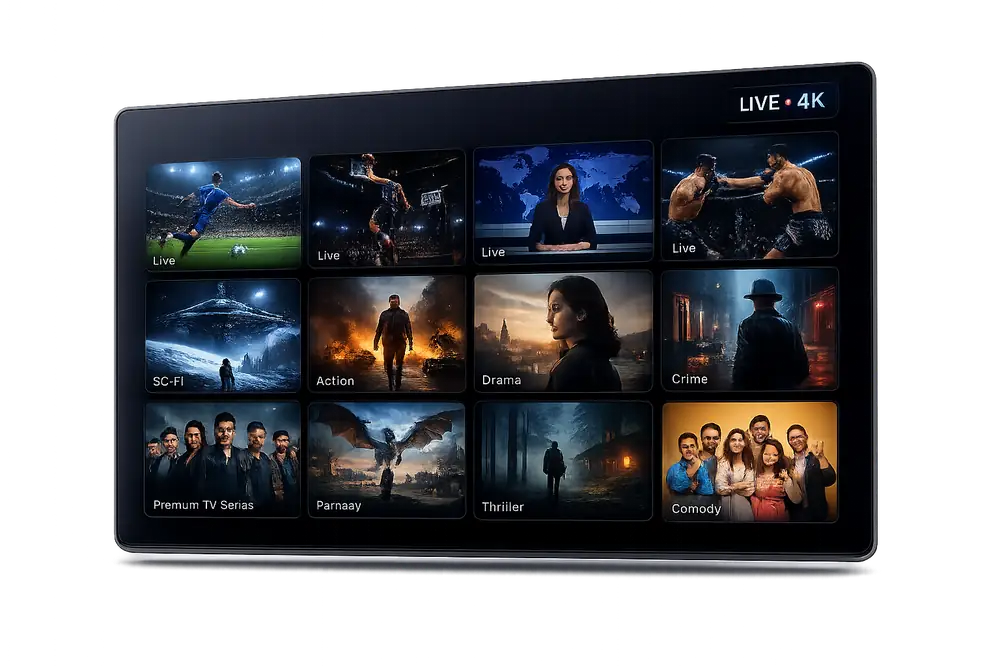
Install LIME IPTV on Any Device You Already Own
LIME IPTV is compatible with every major platform available in Australia. Whether you watch on a Samsung Smart TV, Amazon Firestick, Apple TV, Android phone, or a Windows PC, the setup process is fast and straightforward.
















Three Steps to Start Streaming With LIME IPTV
Choose Your Plan and Activate
Select the LIME IPTV subscription that suits your household. Complete your order and receive your login credentials instantly via email. No hardware shipment, no waiting period — your account is live within seconds of payment confirmation.
Download the App on Your Device
Install a compatible IPTV player such as IPTV Smarters Pro, TiviMate, or GSE Smart IPTV from your device's app store. LIME IPTV works with all leading players on Android, iOS, Firestick, Smart TV, and desktop platforms.
Enter Your Credentials and Stream
Open your chosen player, enter the server URL and login details sent to your email, and tap Connect. Within moments you will have access to 35,500+ live channels including Australian networks, 4K sport, and 179,000+ on-demand titles.
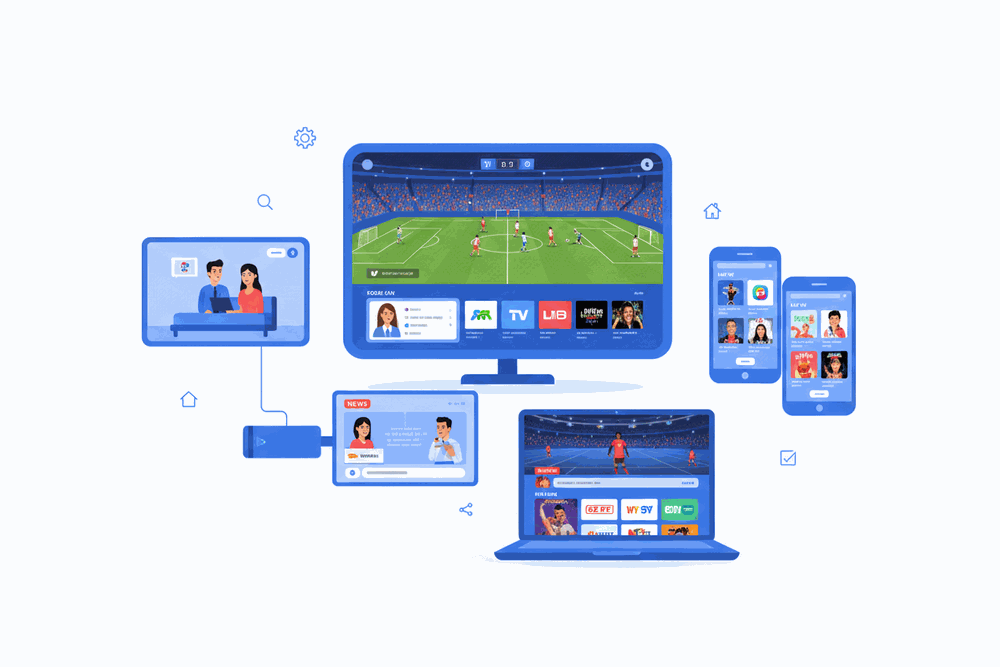
LIME IPTV Looks Great on Every Screen
From the 75-inch lounge room TV to the iPhone you carry to work, LIME IPTV delivers a consistent, buffer-free 4K experience across every device in your household.
Watch on your Smart TV in the living room, your phone on the train, and your laptop at work — all from a single subscription, perfectly in sync.
- No extra hardware required
- Simultaneous streams on multi-device plans
- Same 4K quality on every screen
How to Install LIME IPTV in Australia: Complete Setup Guide
Getting Started with LIME IPTV Installation in Australia
Installing LIME IPTV on your preferred device is a straightforward process that takes fewer than ten minutes from start to finish. As Australia's most feature-rich IPTV service, LIME IPTV delivers over 35,500 live channels and 179,000 on-demand titles directly to your screen once the setup is complete.
Whether you are setting up LIME IPTV on a Smart TV, Android box, Amazon Firestick, or a smartphone, the installation steps follow a consistent pattern that any user can follow without technical expertise. Our detailed guides below cover every major device category available to Australian subscribers.
Installing LIME IPTV on Amazon Firestick and Fire TV
Amazon Firestick is one of the most popular devices for running an IPTV service in Australia, and LIME IPTV is fully optimised for the Fire OS environment. Begin by navigating to Settings, then My Fire TV, and enabling Apps from Unknown Sources to allow sideloading.
Next, download the Downloader app from the Amazon Appstore, open it, and enter the LIME IPTV APK URL provided in your welcome email. Once the APK installs, launch the app, enter your LIME IPTV credentials, and your full channel lineup, including live Australian networks and 4K streams, will be ready immediately.
For the best IPTV 4K experience on Firestick, we recommend a Firestick 4K Max or a third-generation Fire TV Cube, both of which support HEVC decoding required for LIME IPTV's ultra-high-definition streams.
How to Set Up LIME IPTV on Android Devices and Android TV Boxes
Android is the most versatile platform for any IPTV Australia setup because it supports multiple IPTV player applications including IPTV Smarters Pro, TiviMate, and GSE Smart IPTV. Download any of these players from the Google Play Store, then select the M3U or Xtream Codes option and paste the credentials from your LIME IPTV account dashboard.
Android TV boxes such as the Nvidia Shield, Mecool KM7, and Xiaomi Mi Box S are ideal for LIME IPTV because they combine Android's flexibility with hardware-accelerated 4K HDR playback. After entering your Xtream Codes details, LIME IPTV will automatically populate all channel groups, EPG data, and your full VOD library.
Enable hardware decoding within your chosen player's settings to ensure smooth playback of LIME IPTV's high-bitrate 4K content without buffering on Australian NBN connections.
LIME IPTV Installation on Samsung and LG Smart TVs
Samsung Tizen and LG webOS Smart TVs require a slightly different installation approach compared to Android-based devices. On Samsung TVs, the easiest method is to install the Smart IPTV application directly from the Samsung Smart Hub app store, then link it to your LIME IPTV M3U playlist URL through the app's web portal.
LG webOS users can install IPTV Smarters directly from the LG Content Store or use the built-in browser to access the LIME IPTV web player. Both methods deliver the full 35,500-channel lineup and 179,000-title VOD catalogue rated 4.8 stars by over 30,000 subscribers across Australia.
For either Smart TV brand, ensure your television firmware is updated to the latest version before installing LIME IPTV to guarantee compatibility with the latest stream encryption and EPG formats.
Setting Up LIME IPTV on iOS and Apple Devices
iPhone, iPad, and Apple TV users can access LIME IPTV through compatible third-party IPTV players available on the Apple App Store, including GSE Smart IPTV and IPTV Smarters. Open your chosen application, navigate to the playlist section, and select Add M3U URL or Xtream Codes Login, then enter the details from your LIME IPTV subscription confirmation.
Apple TV 4K is particularly well-suited to LIME IPTV because its A15 chip handles HEVC 4K HDR decoding natively, producing the sharpest possible picture quality for live sport, Australian news channels, and premium VOD content.
LIME IPTV supports up to five simultaneous connections per account, meaning Australian households can run the service on an Apple TV in the lounge, an iPad in the bedroom, and an iPhone on the go all at the same time.
Using LIME IPTV on Windows and macOS Computers
Desktop and laptop users in Australia can install LIME IPTV through VLC Media Player, Kodi, or the dedicated IPTV Smarters desktop application. For VLC, open the Media menu, select Open Network Stream, and paste your LIME IPTV M3U URL to begin streaming immediately without any additional configuration.
Kodi users should install the PVR IPTV Simple Client add-on from the official Kodi repository, enter the M3U URL in the plugin settings, and restart Kodi. LIME IPTV's full EPG guide will populate automatically, giving you a broadcast-style programme guide across all 35,500 channels.
macOS users running Apple Silicon Macs benefit from hardware-accelerated HEVC decoding, which makes LIME IPTV 4K streams play without any dropped frames even on a standard Australian NBN 100 connection.
IPTV Free Trial and Testing LIME IPTV Before You Subscribe
LIME IPTV offers a free IPTV trial period so Australian viewers can verify compatibility with their existing devices and internet connection before committing to a subscription plan. The trial provides access to the full channel lineup and VOD library, giving a genuine representation of the service's quality and reliability.
To activate your free IPTV trial, contact the LIME IPTV support team through the WhatsApp or live chat option on this website. A member of the team will issue temporary credentials within minutes, and no credit card is required to start the trial.
Most Australian subscribers who start with a free trial convert to a paid LIME IPTV subscription within 24 hours after experiencing the IPTV 4K stream quality and the depth of local and international content available on the platform.
Recommended Internet Speeds for LIME IPTV Australia
A stable internet connection is the single most important factor in achieving a buffer-free IPTV experience in Australia. LIME IPTV recommends a minimum download speed of 10 Mbps for HD streams, 25 Mbps for Full HD, and at least 50 Mbps for sustained IPTV 4K playback.
Australian NBN plans at the NBN 50 tier or above are sufficient for most single-device HD and Full HD streaming scenarios. Households running multiple simultaneous LIME IPTV connections should consider upgrading to an NBN 100 or NBN 250 plan to maintain consistent quality across all screens.
For the most stable IPTV service experience, connect your primary streaming device to your router via Ethernet rather than Wi-Fi, particularly for live sport in 4K where even brief buffering interruptions can disrupt the viewing experience.
LIME IPTV Customer Support and Troubleshooting for Australian Users
LIME IPTV provides 24-hour customer support to all Australian subscribers via WhatsApp, live chat, and email. If you encounter any issue during installation, the support team can provide step-by-step guidance specific to your device model and operating system version.
Common installation issues such as incorrect Xtream Codes entry, M3U playlist errors, or EPG data not loading are typically resolved within minutes by the LIME IPTV support team. The service maintains a comprehensive online knowledge base covering every supported device for Australian customers who prefer self-service troubleshooting.
With a 4.8-star rating across more than 30,000 verified reviews, LIME IPTV has established a reputation as the most reliable IPTV Australia provider, and that reliability extends from the streaming infrastructure through to the quality of after-sales support available to every subscriber.
LIME IPTV Installation FAQ
Which devices can I install LIME IPTV on in Australia?
LIME IPTV works on a wide range of devices including Amazon Fire TV Stick, Android TV boxes, Smart TVs, MAG boxes, Apple devices via VLC or GSE Smart IPTV, Windows and Mac computers, and Android or iOS smartphones. If your device runs an app store or supports M3U playlists, you can get LIME IPTV running in minutes.
How do I install LIME IPTV on my Amazon Fire TV Stick?
First, enable Apps from Unknown Sources in your Fire TV Stick settings. Then install the Downloader app from the Amazon Appstore, use it to download the LIME IPTV-compatible player such as TiviMate or IPTV Smarters Pro, and enter your LIME IPTV M3U URL or Xtream Codes credentials when prompted. The full process takes under five minutes.
What app should I use to watch LIME IPTV Australia on Android?
We recommend TiviMate Player for Android TV boxes and IPTV Smarters Pro or GSE Smart IPTV for Android smartphones and tablets. All three support the M3U and Xtream Codes formats provided with your LIME IPTV subscription, and all deliver full 4K streaming quality where your internet connection allows.
How fast does my internet need to be for LIME IPTV 4K streaming?
For standard HD channels a minimum of 10 Mbps is recommended. For IPTV 4K content we recommend at least 25 Mbps per stream. If you plan to run multiple streams simultaneously, a 50 Mbps or faster connection will ensure a smooth, buffer-free experience across all devices.
Is a free trial available before I subscribe to LIME IPTV?
Yes. LIME IPTV offers a free trial so you can test the full service, including 35,500+ live channels and 179,000+ VOD titles, before committing to a paid plan. Contact our support team via WhatsApp or the website to request your free IPTV trial credits and see the quality for yourself.
What do I do if I experience buffering after installing LIME IPTV?
Buffering is almost always caused by the local network rather than our servers. First, switch from Wi-Fi to a wired ethernet connection if possible. Second, check your internet speed meets the minimums above. Third, try switching to an alternative stream URL within your player app. If issues persist, our 24/7 support team will diagnose and resolve the problem with you in real time.
Start Watching LIME IPTV in Australia Today
Get instant access to 35,500+ live channels and 179,000+ on-demand titles. Claim your free IPTV trial and experience the best IPTV service Australia has to offer — on any device, in stunning 4K.